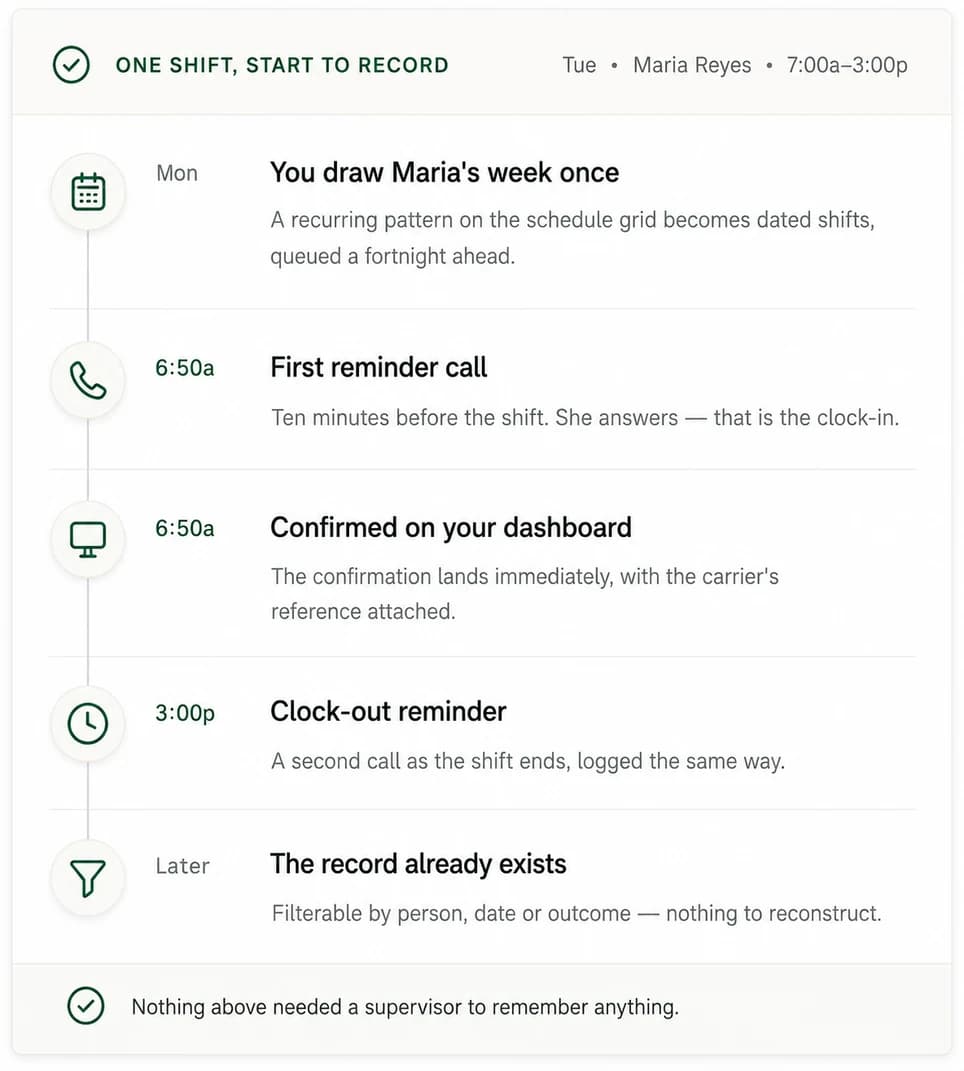
Two pieces of setup, then the calls place themselves.
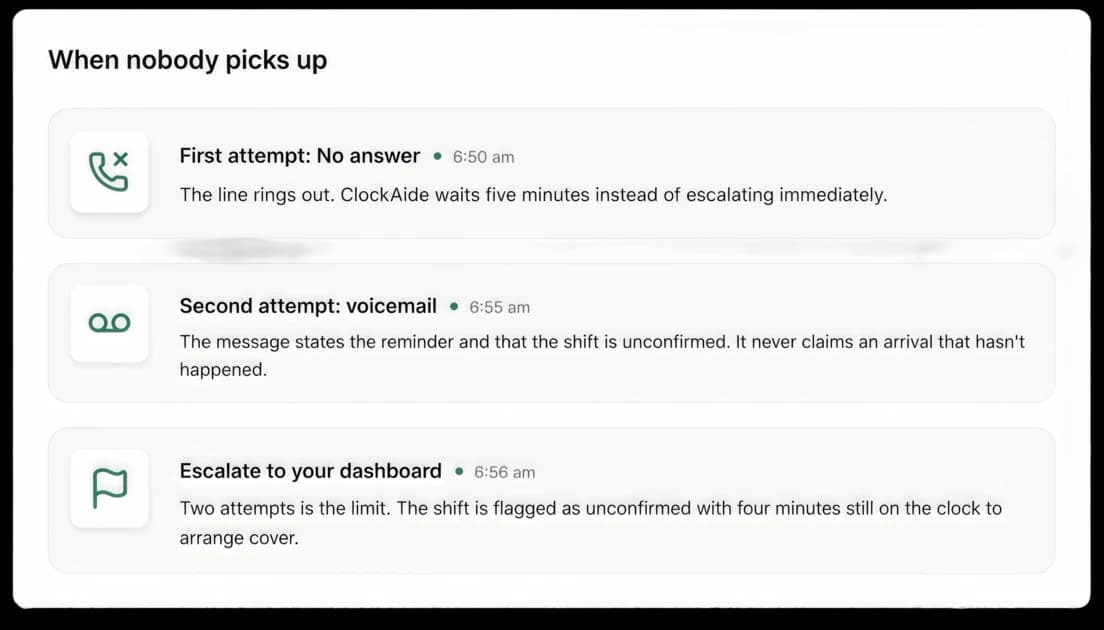
What you configure once, what happens on the phone before every shift, what reaches your dashboard when a call goes unanswered, and what the record looks like afterwards.
Read it in five minutes and you’ll know whether it fits your operation, no demo required.

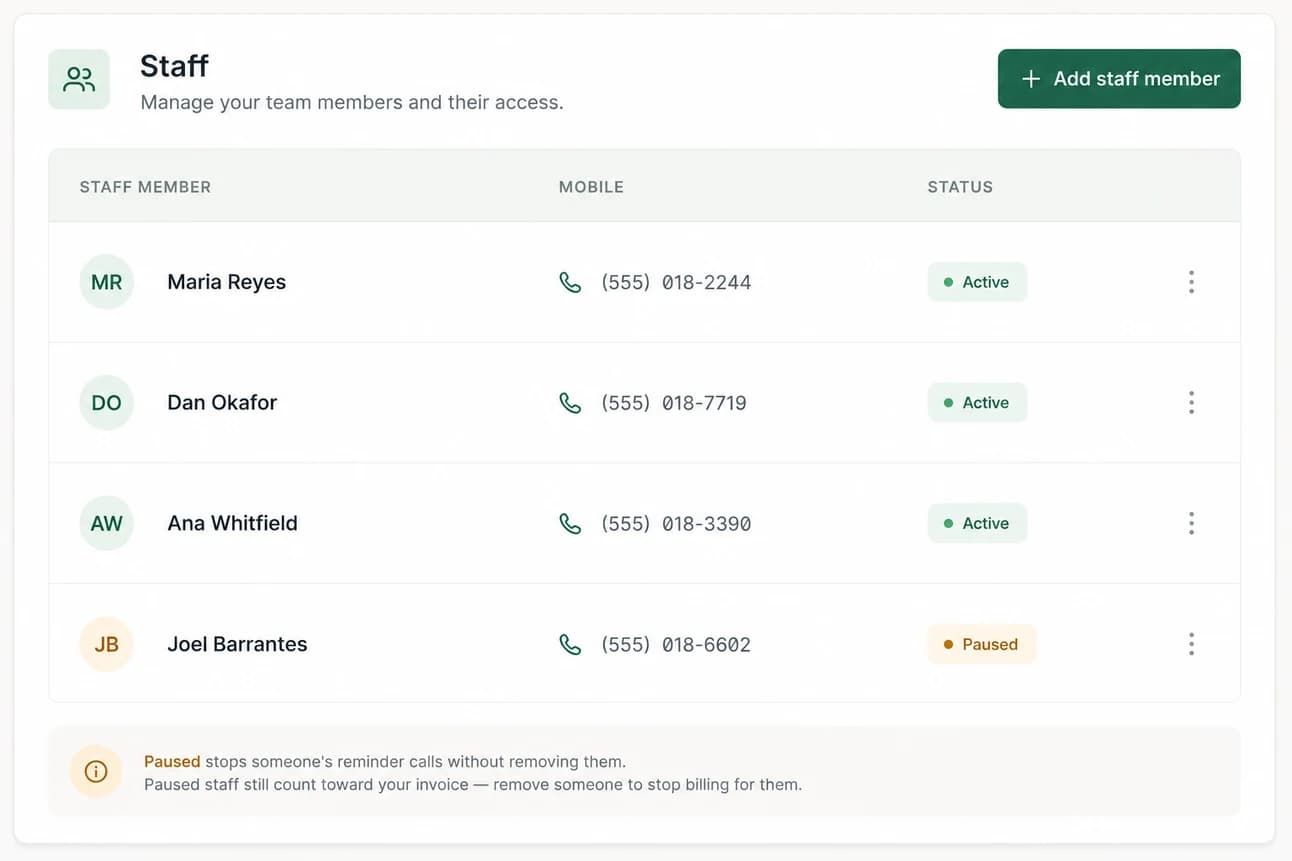
Add your staff. A name and a mobile number.
Your account is created by whoever owns the subscription. From there you add the people whose shifts need confirming — and that is genuinely the whole record: a name and a US mobile number.
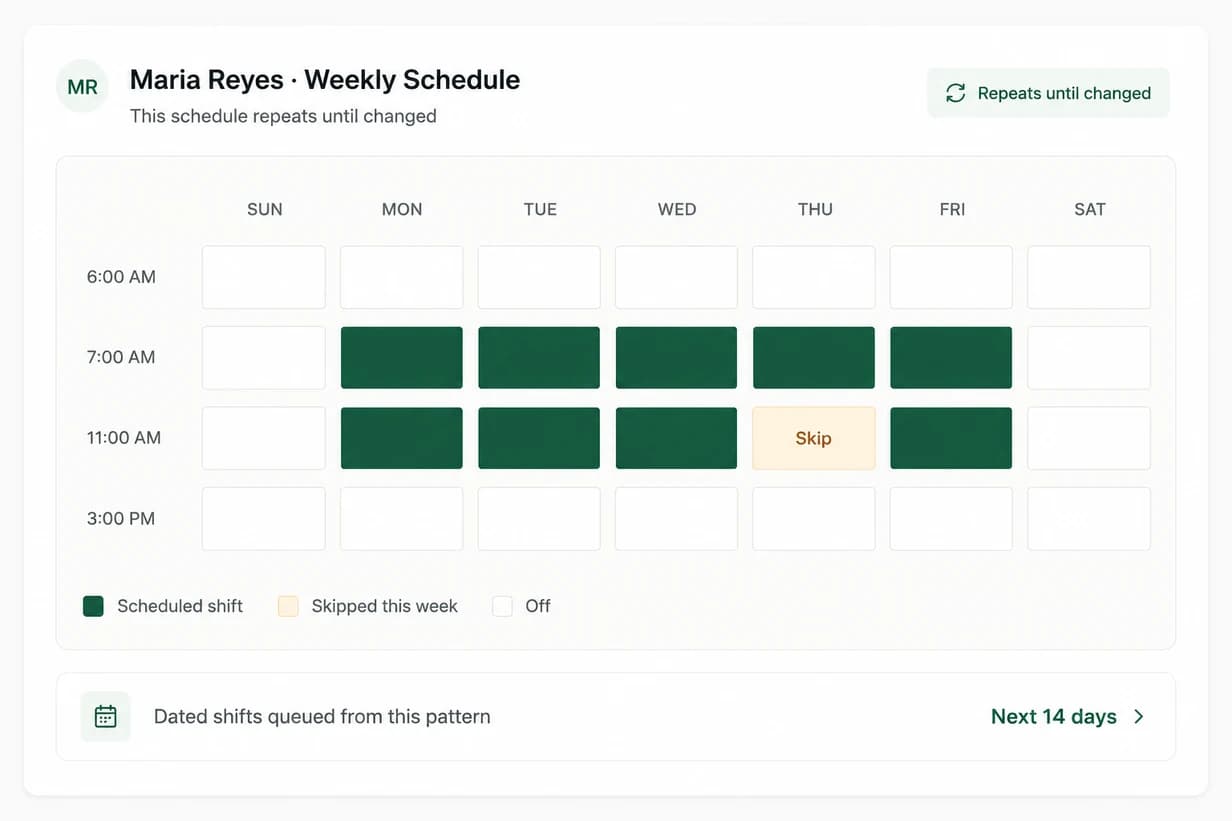
Draw each person's week on the schedule grid.
Place blocks on a weekly grid — the recurring pattern this person normally works. ClockAide converts that pattern into dated shifts and keeps a rolling fortnight queued ahead of you, so you are never scheduling the day before.
Real weeks are not patterns, so the grid takes overrides: skip a shift for a week, or add a one-off that isn't part of the pattern. The pattern stays intact underneath.
- A rolling fortnight, always queued
- Overrides without rewriting the pattern
- Unlimited schedule managers
The phone rings ten minutes early. Answering is the clock-in.
This is the part your staff experience, and it is deliberately the least interesting thing that happens all morning: a short call, a spoken reminder, and no action required. There is no menu, no keypad, and no number to press.
What your staff hear
Hi Maria, this is Meridian Care Group.
This is your reminder that your shift is starting soon. Please clock in. Have a good shift.
The work you stop doing on Monday morning.
Everything on the right of this table used to be somebody's job at 6:45 in the morning. None of it is a judgement call — which is exactly why it should not depend on a person remembering.
Without ClockAide
- Attendance confirmed by text thread
- A supervisor has to remember to check
- Gaps discovered after the client calls
- The record is reconstructed later
With ClockAide
- Attendance confirmed by answering the call
- The call places itself, ten minutes ahead
- An unanswered shift is flagged with time to spare
- The record is written as it happens
Open the dashboard once, before the day starts.
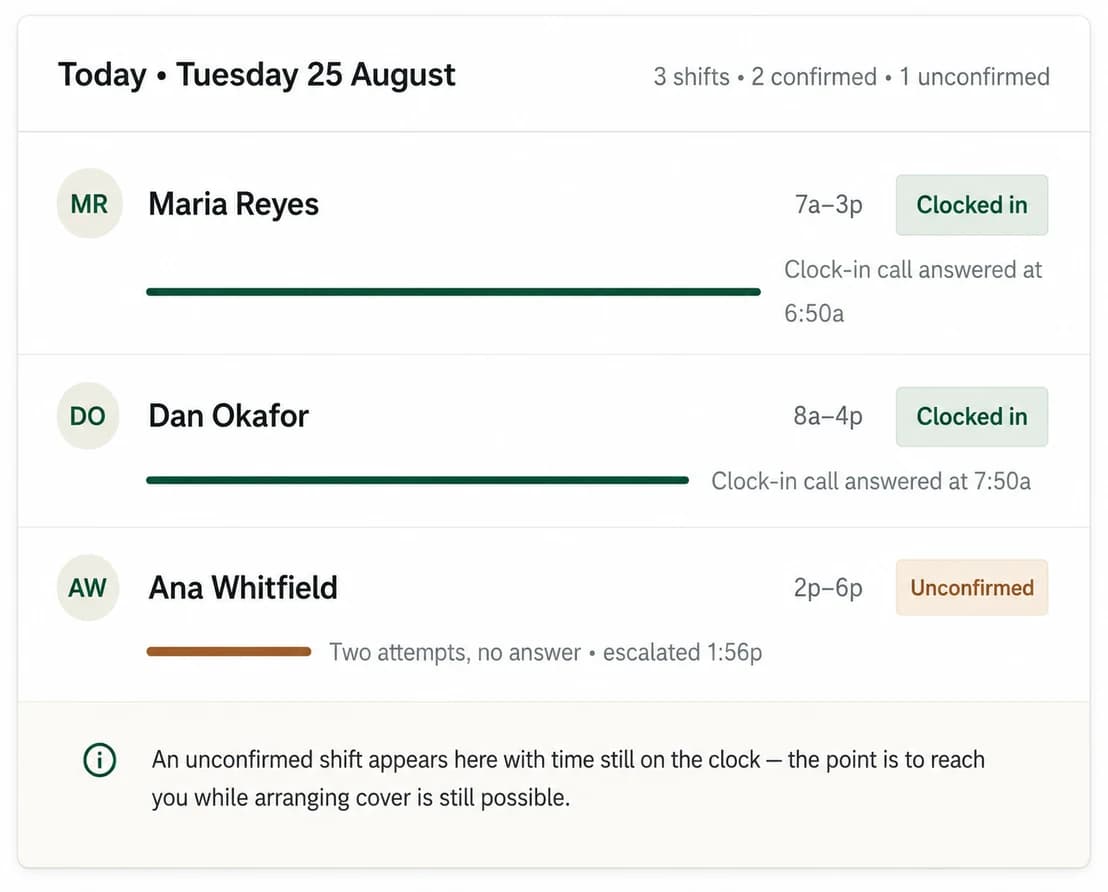
The dashboard answers one question — who is not covered — and it should answer it before you finish reading it. Everything else is available when you want it and quiet when you don't.
When something needs a person, that person is you: call the staff member, arrange cover, or record the clock-in by hand. ClockAide stores a manual entry with its source, so a correction always reads as a correction.
Here's what you can consider before partnering with us.

Get ClockAide configured and ready for your team.
Set up your staff, build their schedules, and let ClockAide handle the reminders. We’ll guide your team through the app and give you the tools to manage everything from one simple dashboard.
Start Your Subscription